




Mediterranean Hospital of Cyprus

Patient Portal

Imaging examination results

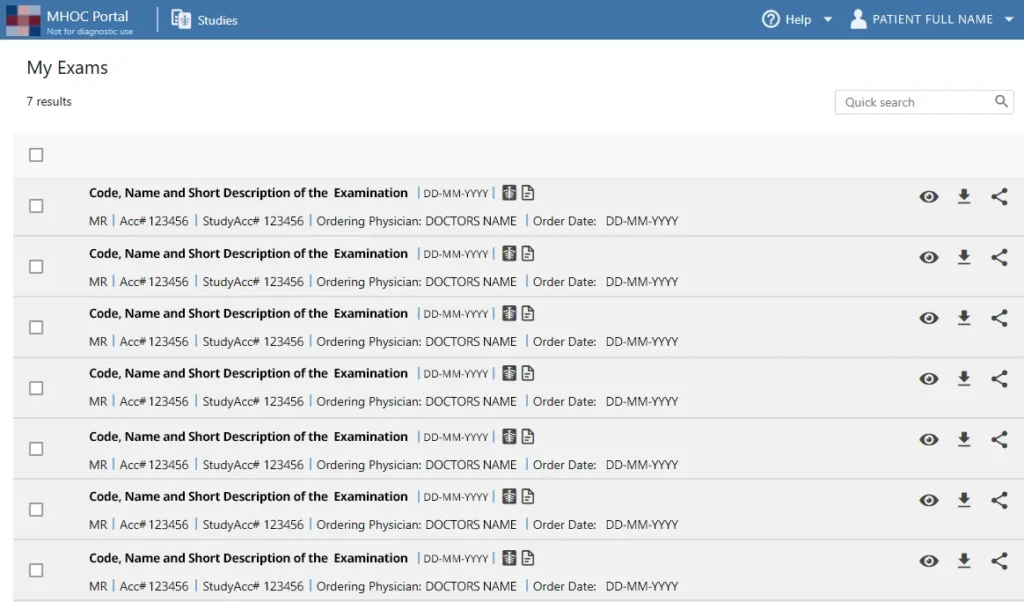
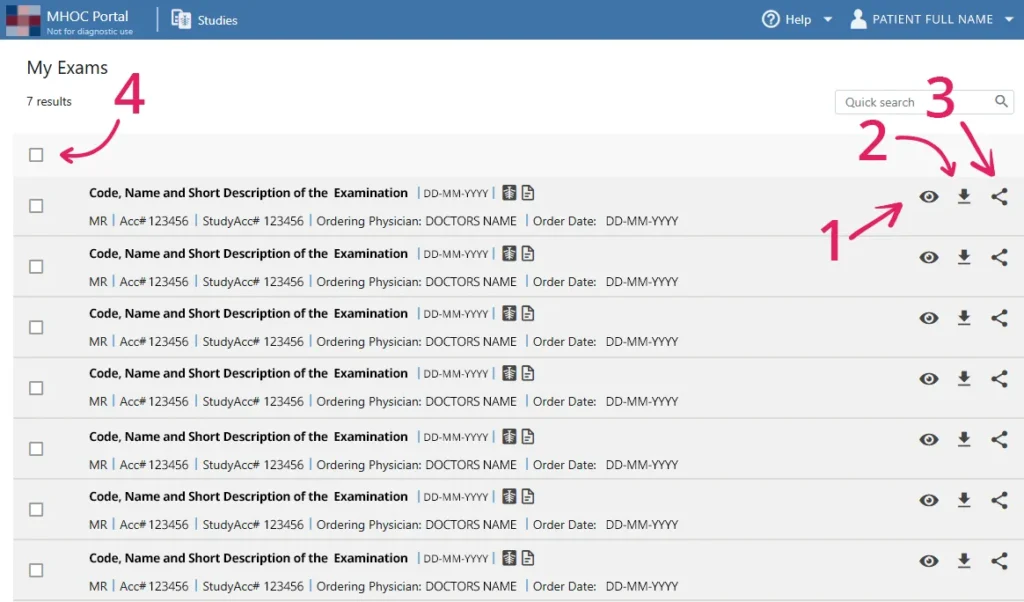
The Mediterranean Hospital of Cyprus Patient Portal gives you access to your available imaging examinations and medical reports, allowing you to view and manage your results online.

Viewing and managing examinations

1

View examination
Select the eye icon to open your
examination and view the
available images and medical
report.

2

Download files
Select the download icon, shown
as a downward arrow, to display
the available download options
for your examination

3

Share examination
Select the share icon to share
your examination with your
doctor. Enter the requested
details and follow the instructions
displayed on screen.

4

Select examinations
Use the checkboxes on the left to
select individual examinations.
The checkbox at the top allows
you to select all examinations in
the list.
Viewing and managing examinations

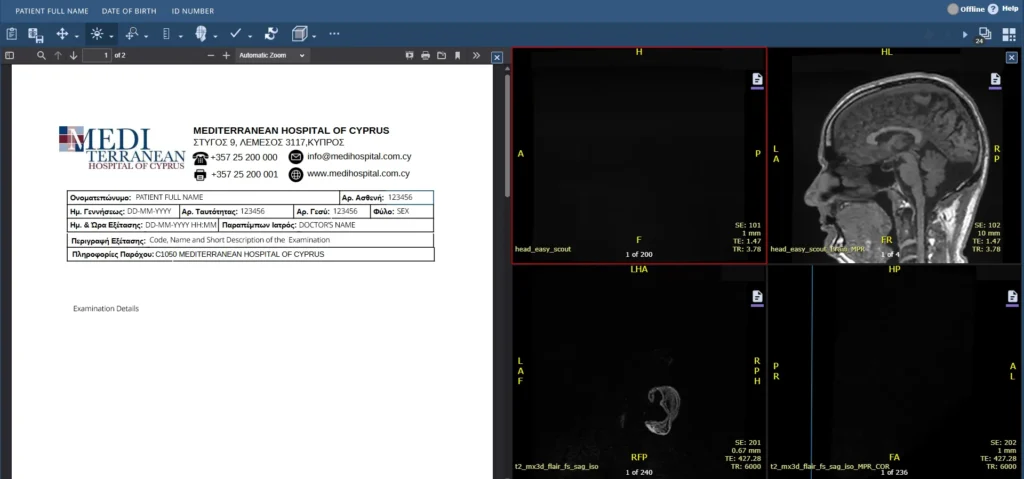
1 View examination
Select the eye icon to open your examination and view the available images and medical report.

2 Download files
Select the download icon, shown as a downward arrow, to display the available download options for your examination.

3 Share examination
Select the share icon to share your examination with your doctor. Enter the requested details and follow the instructions displayed on screen.

4 Select examinations
Use the checkboxes on the left to select individual examinations. The checkbox at the top allows you to select all examinations in the list.

Images and medical reports

5

Print report
Select the printer icon to print
your medical report.

6

Save report
Select the save icon to save your
medical report to your device.
Images and medical reports

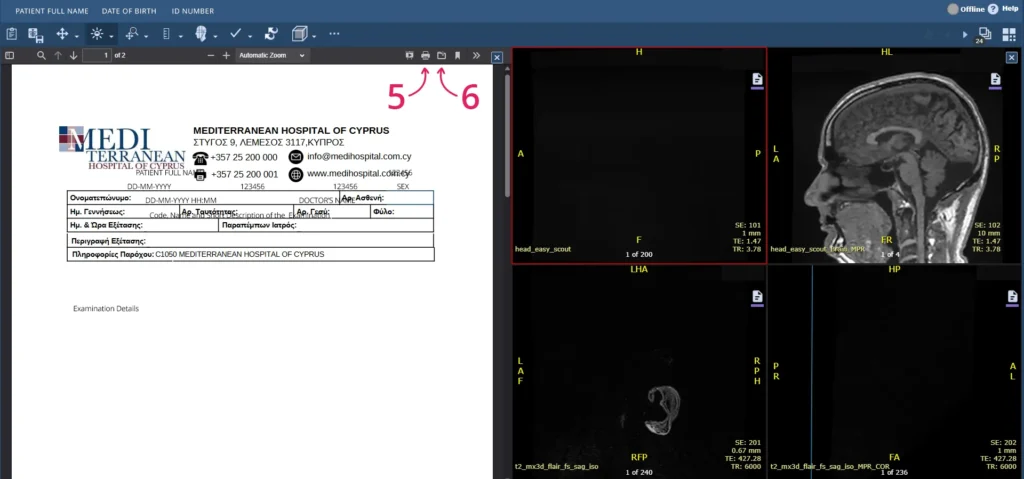
5 Print report
Select the printer icon to print your medical report.

6 Save report
Select the save icon to save your medical report to your device.

Need help

If you need help accessing or using the Portal, please contact the hospital.

The Mediterranean Hospital of Cyprus
Tel. (+357) 25 200 200
Email: portal@medihospital.com.cy